The Wyze
Tuesday, 02/12/2025
Guide to Understanding the Maintenance Page and Job Status’s
Step 1. Access the Maintenance Page 0:00
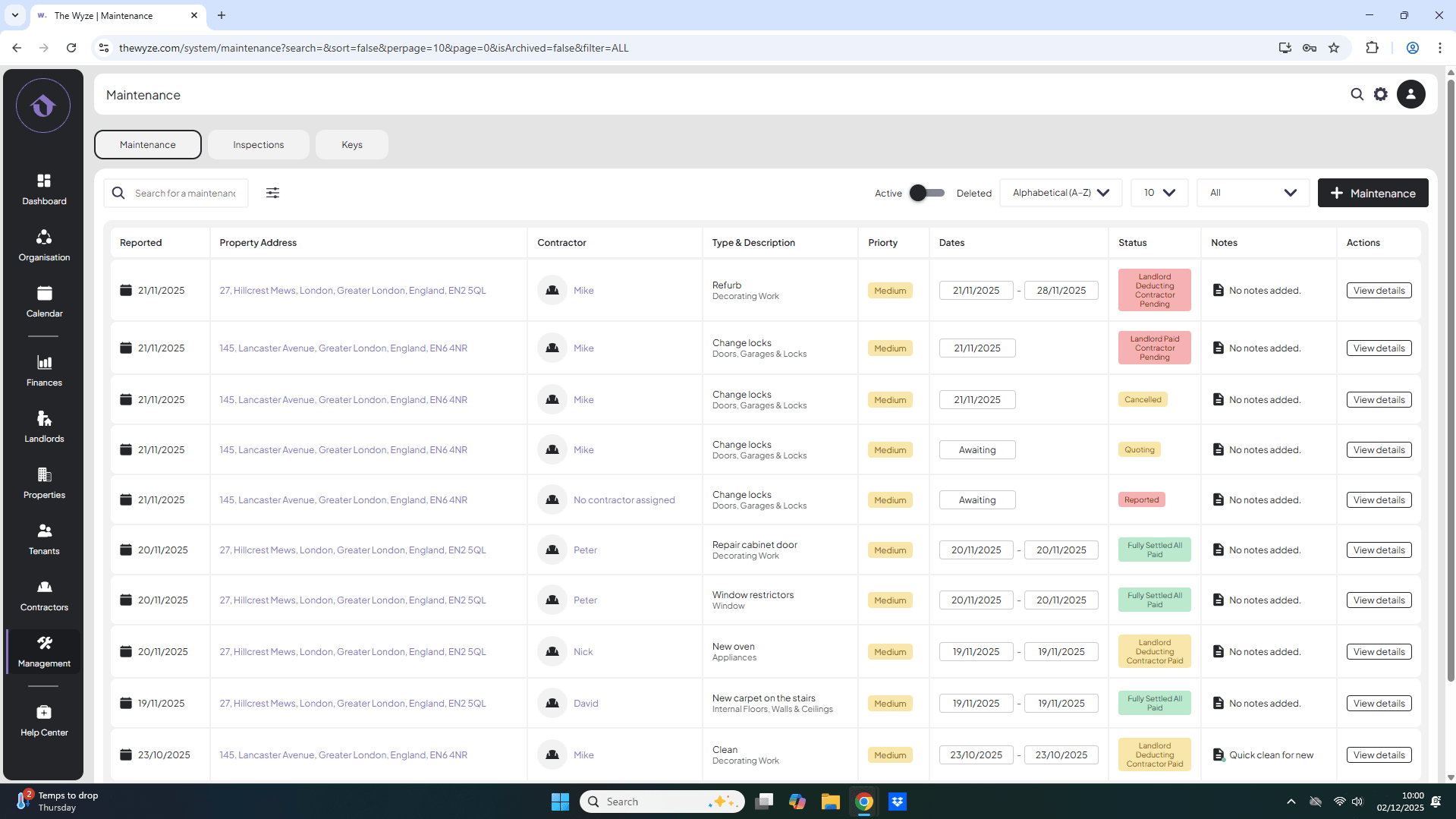
- Navigate to the management tab on the left-hand side.
- You will be automatically directed to the maintenance page.
Step 2. Overview of Status Categories 0:19
- On the right-hand side, you will see the category options.
- The default view is set to ‘all’, displaying various job statuses.
Step 3. Reported Status 0:44
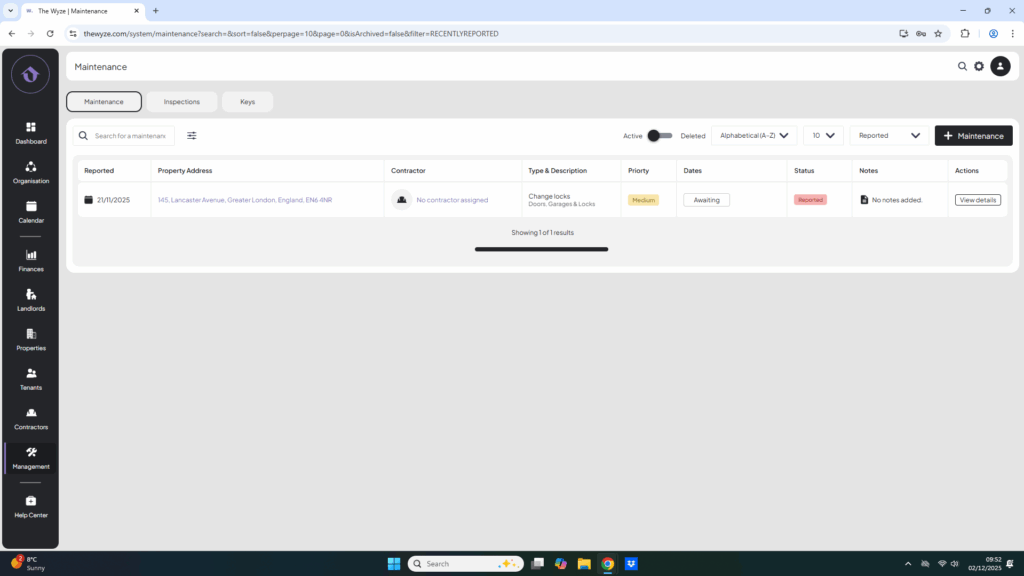
- This is the very first stage of adding a job, only the job description and maintenance type have been entered.
- No contractor or dates are associated.
Step 4. Quoting status 1:00
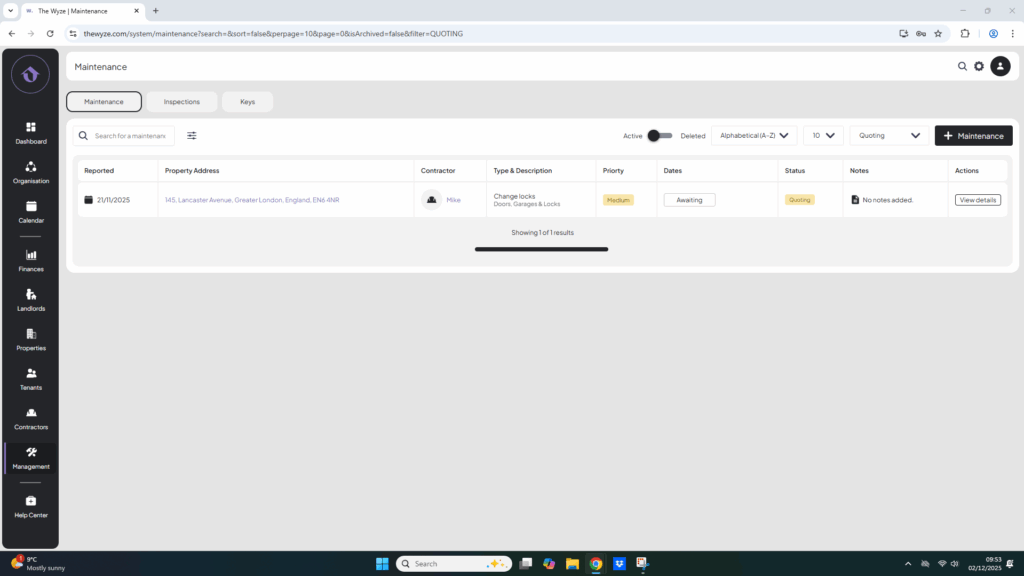
- Status will change to ‘quoting’ once a contractor has been added.
Step 5. Scheduled Status 1:15
- Status will change to ‘scheduled’ once dates are added.
Step 6. Awaiting Payments Status 1:28
- Status will change to ‘awaiting payments’ once the cost and charge are added.
- Neither the landlord nor the contractor has been paid.
Step 7. Landlord Deducting, Contractor Pending Status 1:51
- Charge has been deducted from the landlord’s rent, but the contractor remains unpaid.
Step 8. Landlord Deducting, Contractor Paid Status 2:17
- The job charge is pending deduction from the landlord’s rent, but the contractor has already been paid.
Step 9. Landlord Paid Contractor Pending Status 2:40
- The landlord has paid directly or the deduction has occurred, but the contractor has not yet been paid.
Step 10. Fully Settled or Paid Status 3:04
- Indicates that the job is completed, the landlord has paid and the contractor has been paid.
Step 11. Cancelled Jobs Status 3:15
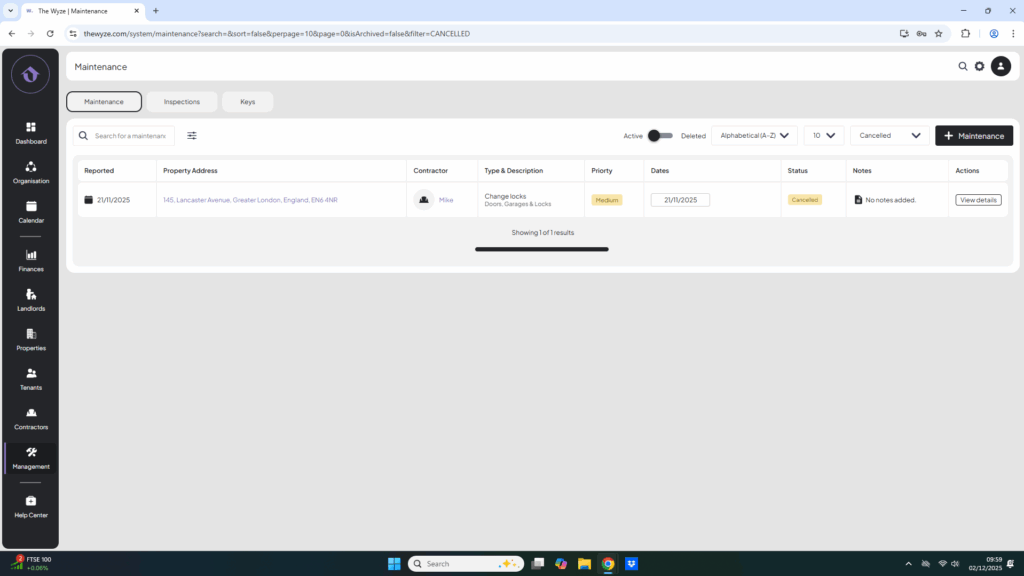
- Jobs that were logged but were then cancelled.