The Wyze
Tuesday, 11/11/2025
How to add bad debt to a maintenance job
Step 1. Access the Properties Tab 0:00
- Navigate to the left-hand side and select the Properties tab.
- Choose your desired property.
Step 2. Add a New Job 0:12
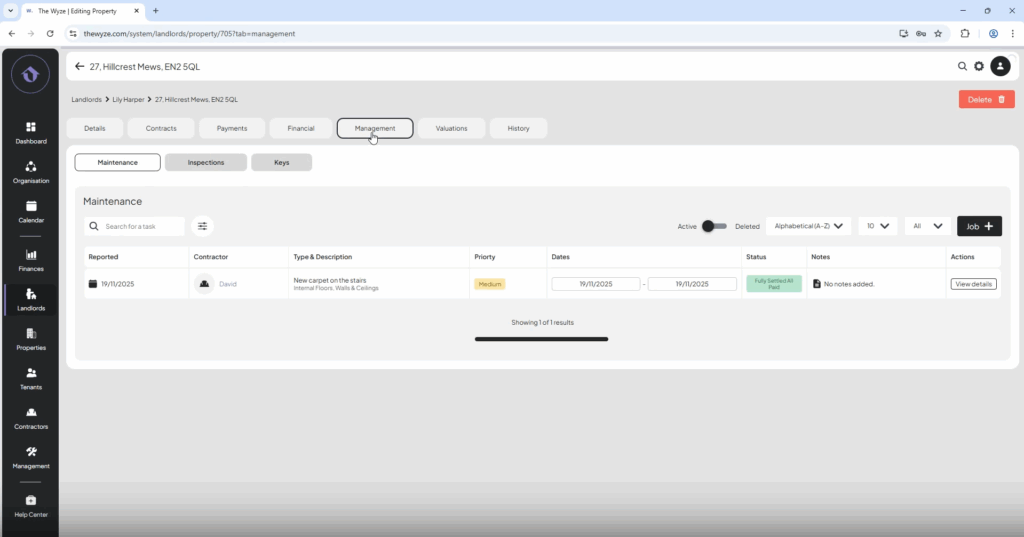
- Move to the top column and select the Management tab.
- Click on Add Job.
- Enter job details.
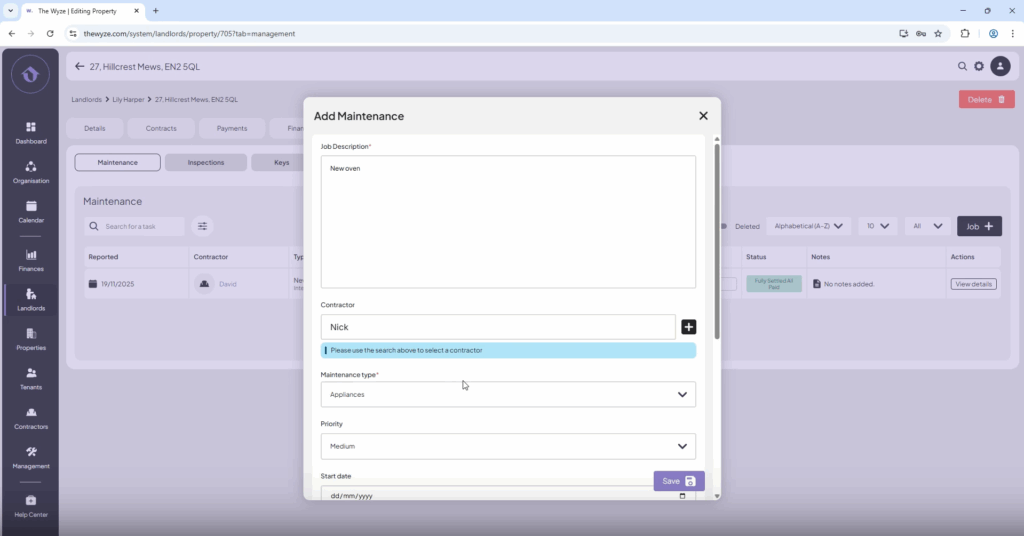
- Select save.
Step 3. Enter Job Cost and Charge 0:45
- Select Edit on the job you just created.
- Input the cost and charge.
- Scroll down and select Save.
Step 4. Attach Invoice and Complete Job 1:18
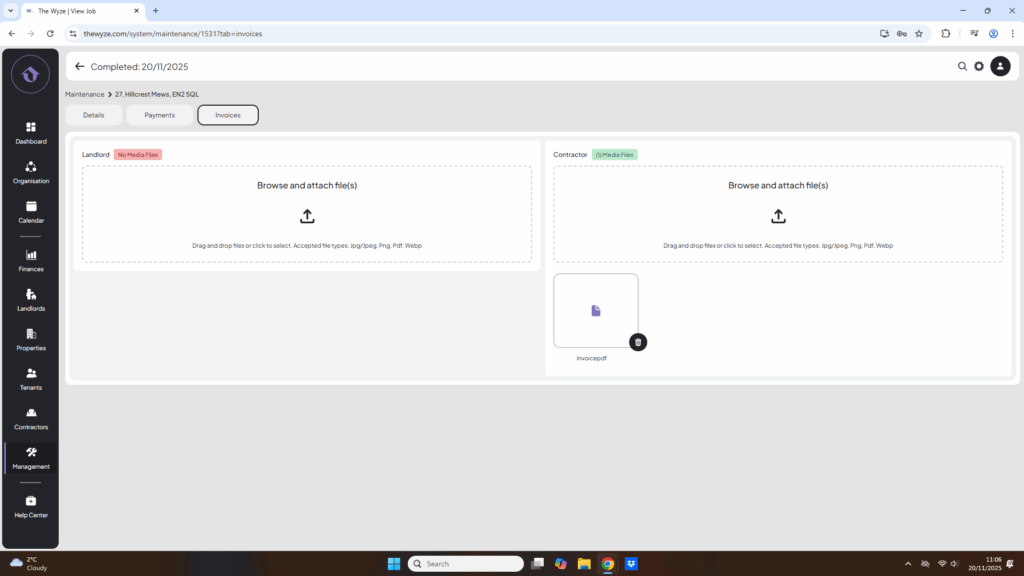
- Attach the invoice.
- Go back to the details page and mark the job as complete.
Step 5. Discuss Payment with Landlord 1:29
- Contact the landlord to discuss payment options:
- Options: Deduct from future payments or direct payment.
- Note: Landlord decides not to make a payment. This is now a Bad Debt.
Step 6. Pay the Contractor 1:43
- Proceed to pay the contractor for the job completed.
Step 7. Write Off the Bad Debt 1:55
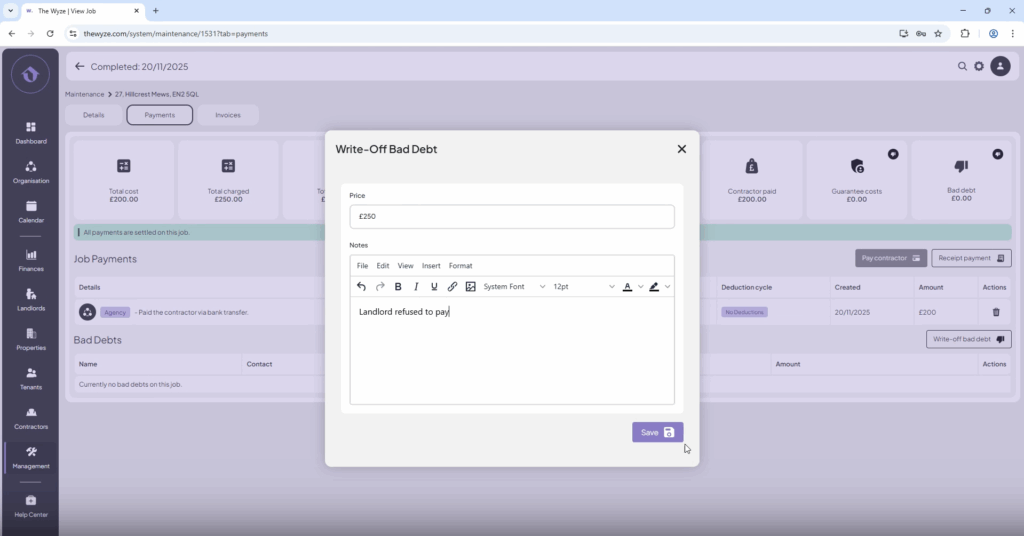
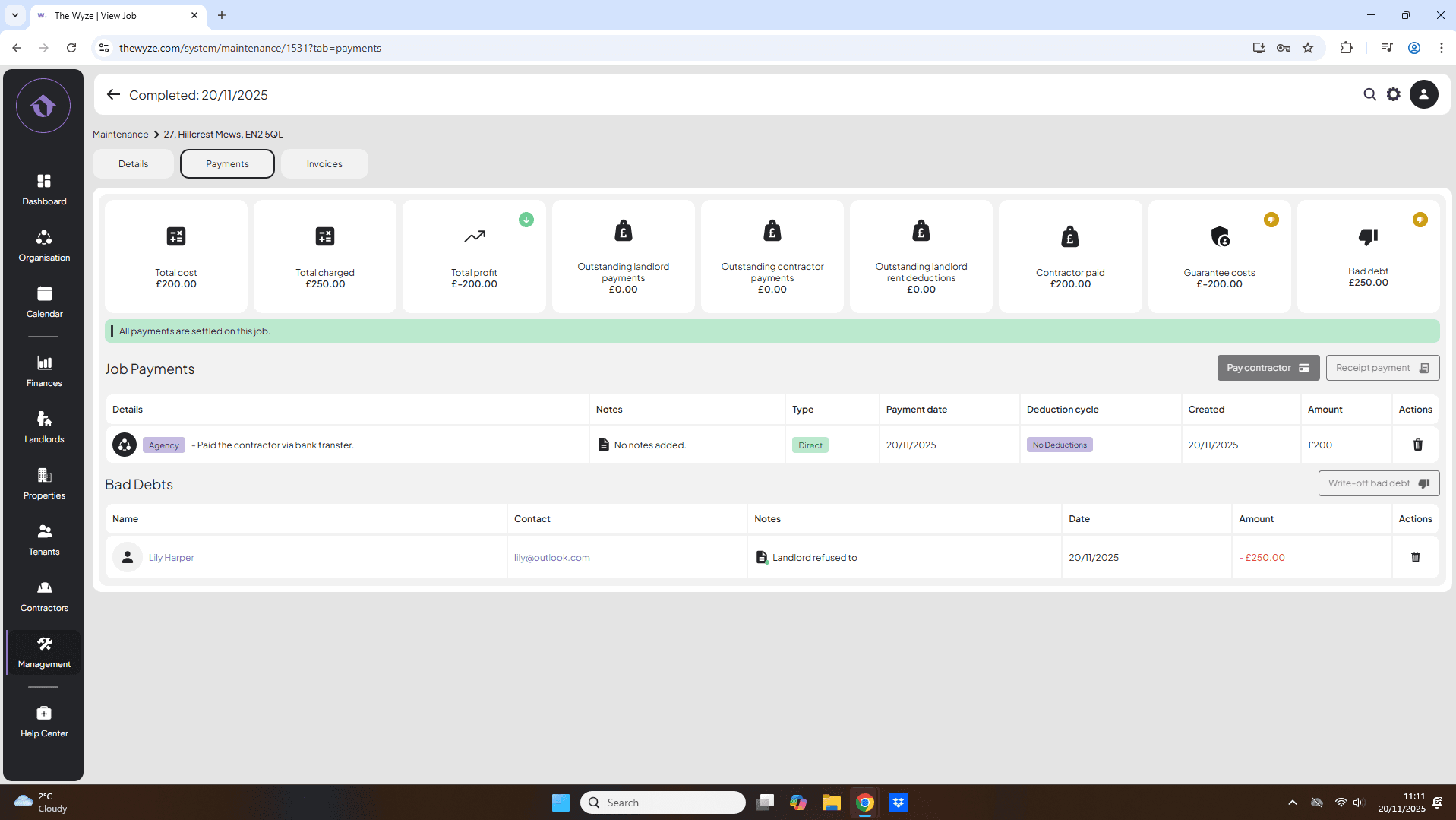
- Locate the Bad Debt section.
- Click on the Write Off Bad Debt button on the right-hand side.
- Input the total charged amount.
- Select Save.