The Wyze
Tuesday, 11/11/2025
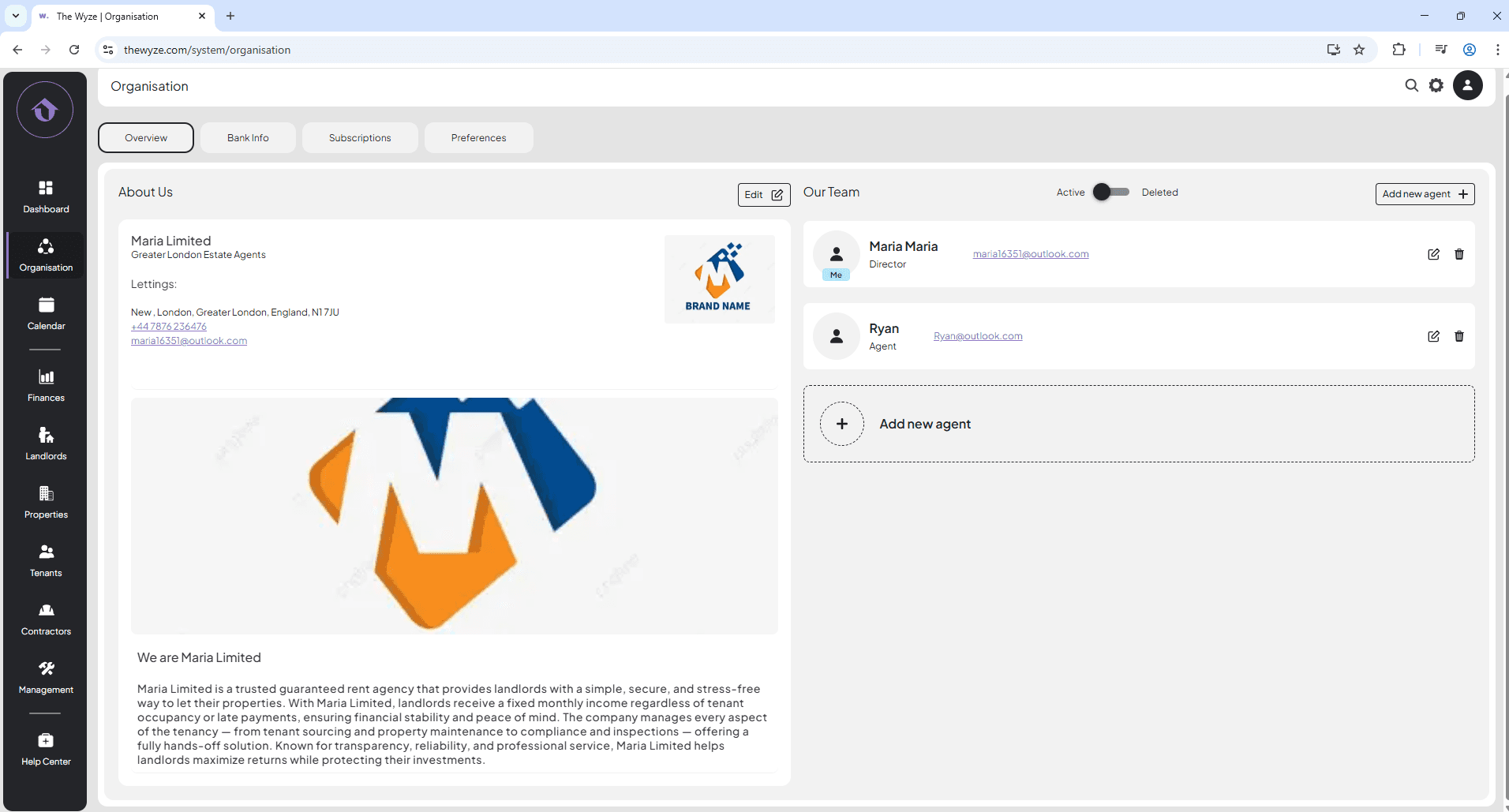
How to edit the about us section
Step 1: Access the Organisation Tab 0:00
- Navigate to the left-hand side menu.
- Click on the ‘Organisation’ tab.
Step 2: Locate the About Us Section 0:11
- On the Overview page, find the ‘About Us’ section.
Step 3: Edit the About Us Section 0:16
- Click on the ‘Edit’ icon next to the About Us section.
Step 4: Input Company Information 0:20
- Upload your company logo.
- Enter your company name (e.g., Maria Ltd).
- Your email address and contact number will auto-fill based on your account setup.
- Select save.
- Verify that all company information is displayed correctly in the About Us section.