The Wyze
Tuesday, 13/01/2026
How to End a Private Tenancy Early
Step 1: Access the Properties Tab 0:00
- Navigate to the left-hand side of the screen.
- Click on the Properties tab.
- Select the desired property from the list.
Step 2: Go to Contracts 0:10
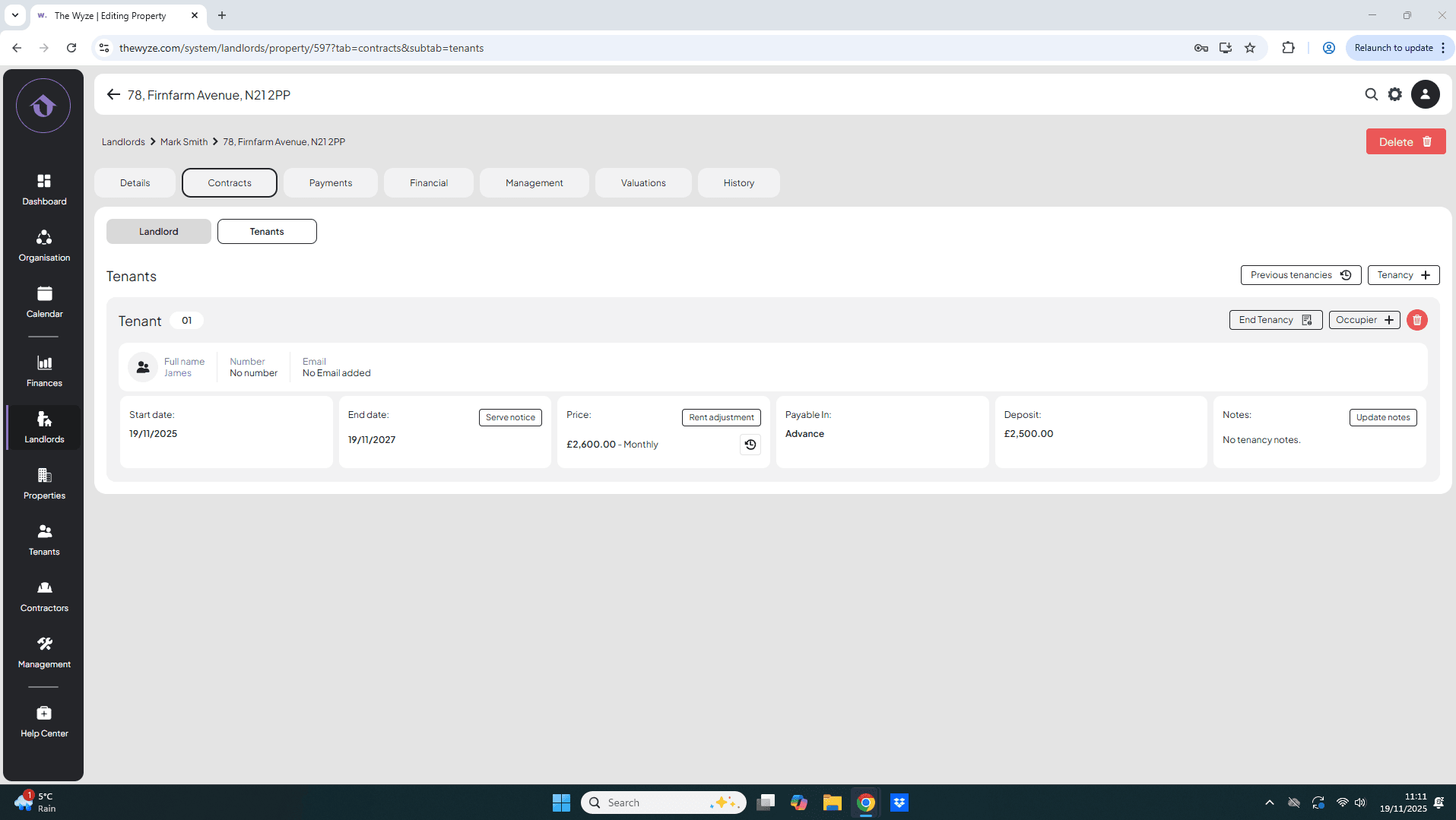
- At the top of the property page, click on the Property Contracts tab.
- Enter the Tenant section to view current tenants.
Step 4: End the Tenancy 0:24
- On the right-hand side, click on End Tenancy.
- To end the tenancy, enter your desired end date.
- Click Save to confirm the early termination.
Step 5: View Previous Tenancies 0:47
- If needed, you can view the previous tenancies by clicking on the Previous Tenancies section.
- This will show the history of the tenant’s stay, including original and new end dates.
Step 6: Access Full Details of the Tenancy 1:06
- Click on Full Details to see comprehensive information about the tenant’s tenancy.
- Review details such as:
- Property address
- Rent amount
- Deposit amount
- Payment history