The Wyze
Friday, 21/11/2025
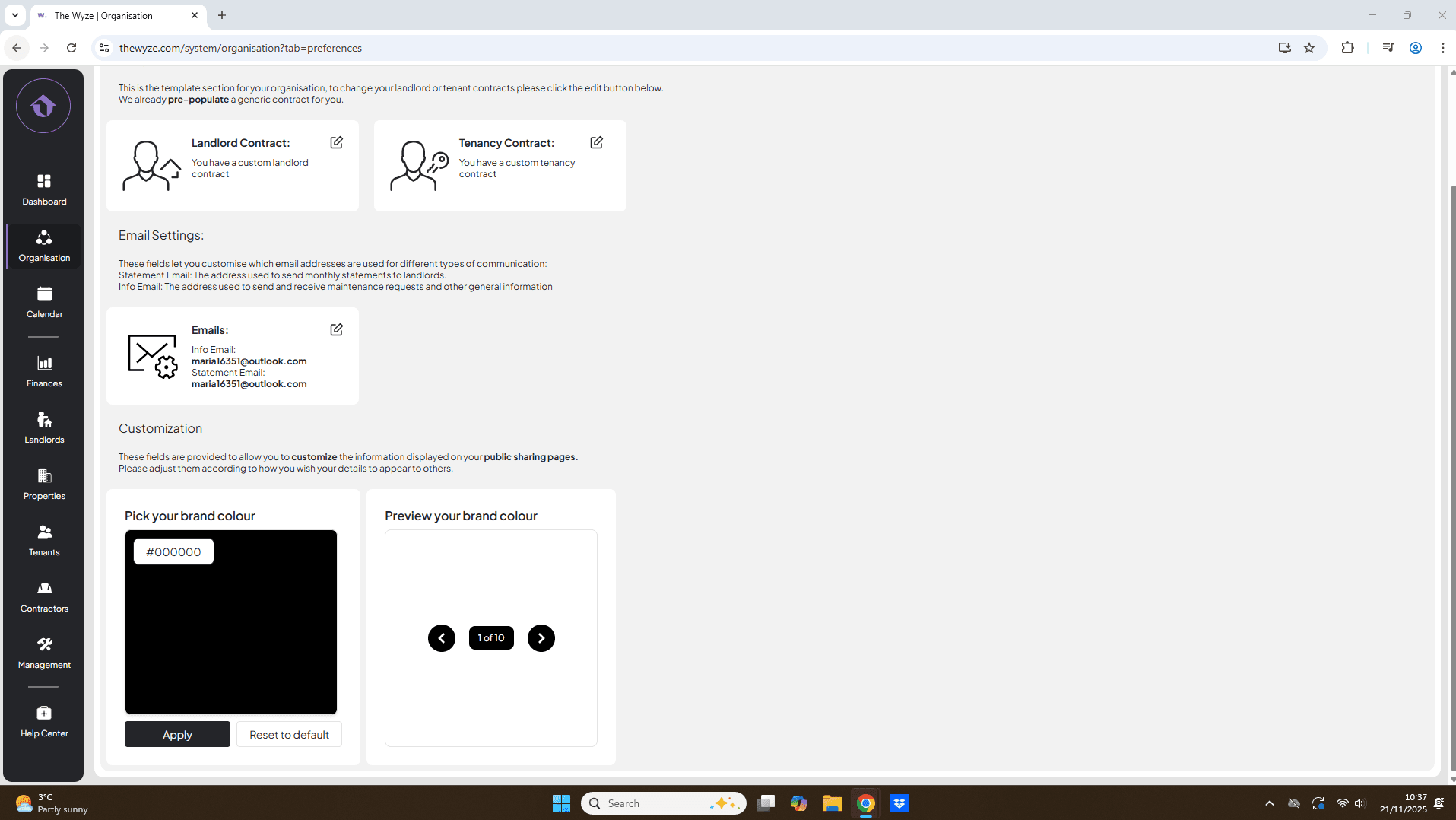
How to manage email settings
Step 1. Access the Organisation Tab 0:00
- Navigate to the left-hand side of the screen.
- Click on the Organisation tab.
Step 2. Go to Preferences Tab 0:09
- Move to the top column and select the Preferences tab.
- Find the Email Settings section just below the contract section.
Step 3. Understand Email Types 0:17
- Identify the two types of emails:
- Statement Emails: Used for monthly statements sent to landlords.
- Info Email: Used for sending and receiving maintenance requests and general information.
Step 4. Edit Email Addresses 0:40
- The system will auto-fill the email you used to set up your Wyze account.
- Click the edit icon next to the email settings.
- Select save.
Step 5. Confirm Updates 1:08
- Verify that your information email and statement emails are now directed to the correct accounts.