The Wyze
Friday, 21/11/2025
How to Split a Maintenance Job Deduction Evenly
Step 1. Select Your Property 0:00
- Go to the left-hand side and click on the Properties tab.
- Select the property you want to work on.
Step 2. Access the Management Tab 0:15
- Navigate to the top column and click on the Management tab.
- Select Add Job.
Step 3. Fill in Job Details 0:19
- Enter the job details as normal.
- Select save.
- Select the edit button to add the cost and charge.
- Click Save.
Step 4. Receipt the Payment 0:53
- Go to the Payments section.
- Select Receipt Payment.
Step 5. Set Up Deduction Schedule 0:58
- Choose the option to deduct the payment over a specified period (e.g., 6 months).
- Select the number of cycles.
- Select save.
- Confirm that the deduction from the landlord’s rent is set for six payment cycles.
Step 6. Verify Payment to Landlord 1:25
- Exit the job and go back to Payments.
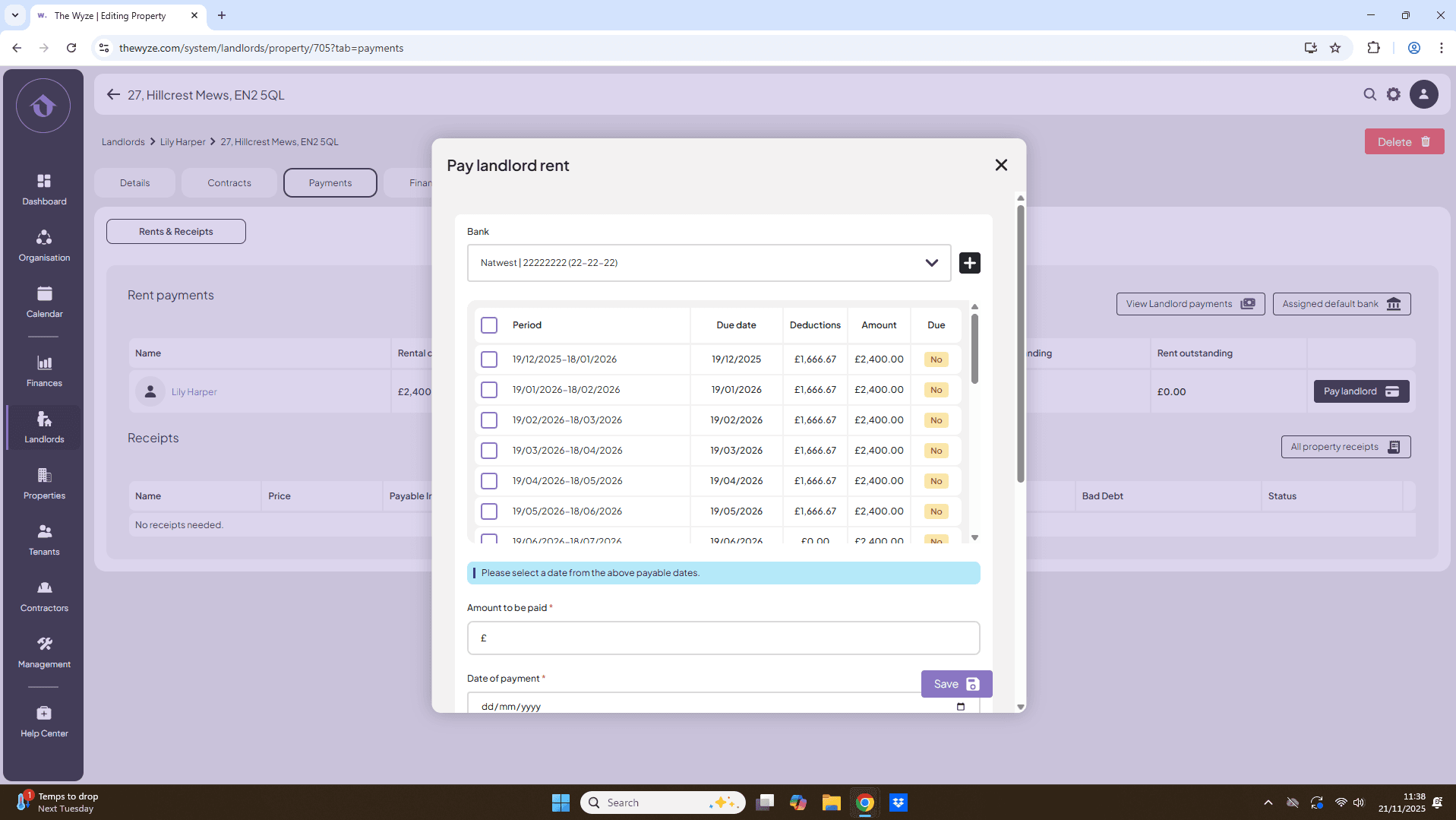
- Select Pay Landlord.
- Check that the £10,000 deduction is split over six months.