The Wyze
Tuesday, 13/01/2026
Navigating the Finances Tab on Your Wyze Profile
Step 1. Access the Finances Tab 0:00
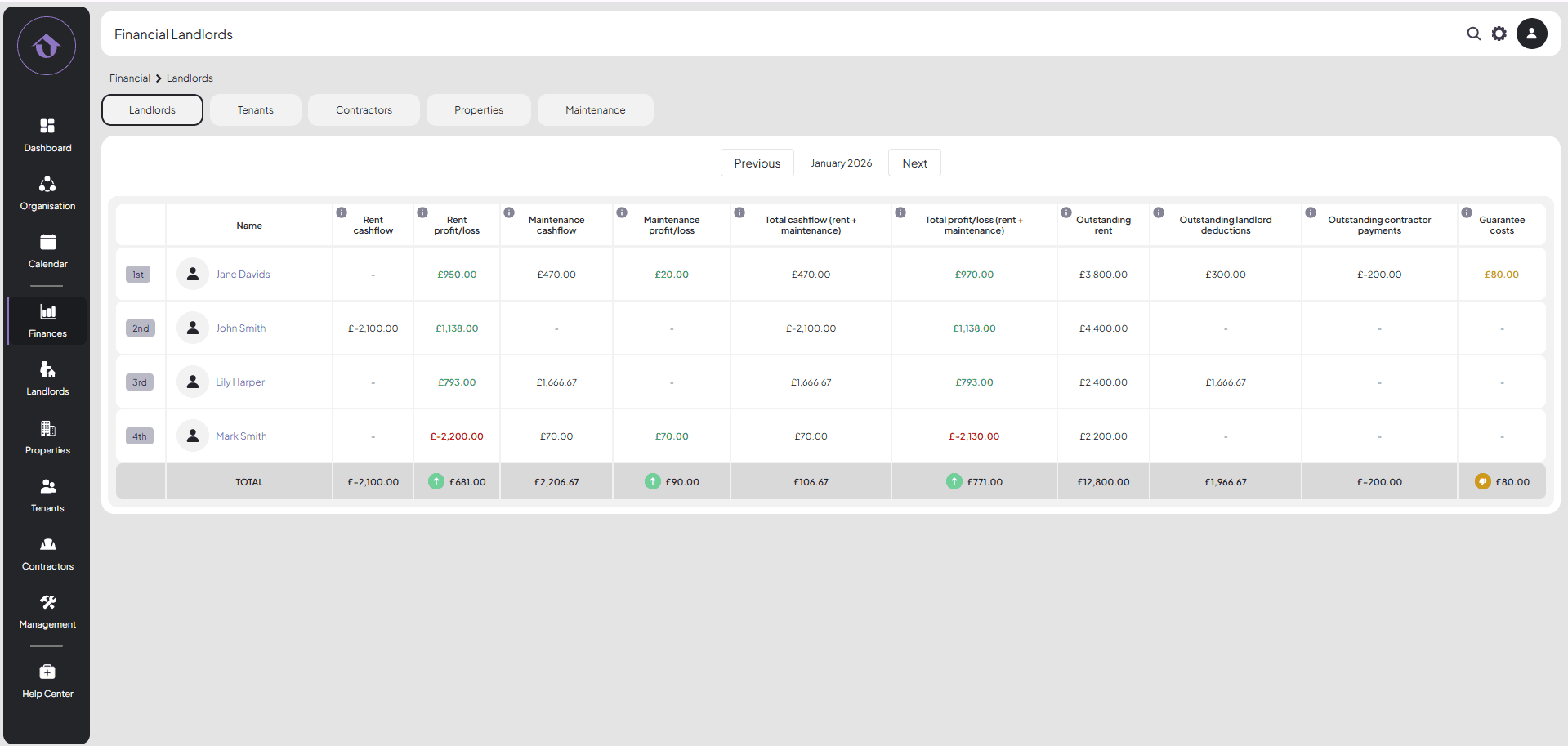
- Begin by selecting the ‘Finances’ tab on the left-hand side.
- You will be directed to the landlord page for the current month.
Step 2. Review Landlord Overview 0:09
- Monitor outstanding rents, landlord deductions, and contractor payments.
Step 3. Navigate to the Tenants Tab 2:24
- View an overview of tenants, including receipted and unreceipted rent.
- Check for any bad debts, which are unrecoverable rents that have been written off.
Step 4. Explore Contractors Tab 3:02
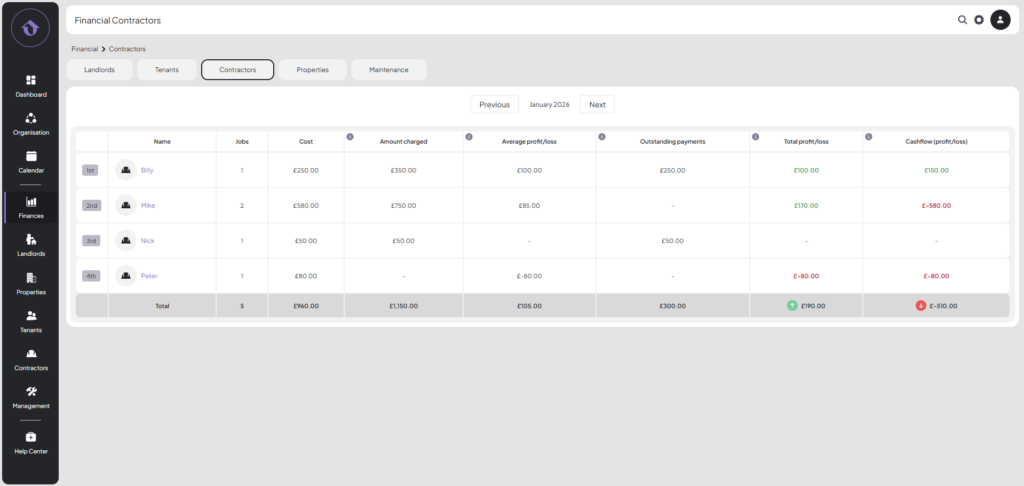
- Get an overview of contractors used, their costs, and the profit or loss from their jobs.
Step 5. Analyse Property Overview 4:10
Step 6. Examine Maintenance Jobs by Property 4:56
- Look at specific maintenance jobs for properties, including costs and outstanding payments.
Step 7. Review Maintenance Overview 6:08
- Identify any bad debts related to maintenance jobs that have been charged but not paid by landlords.