The Wyze
Monday, 12/01/2026
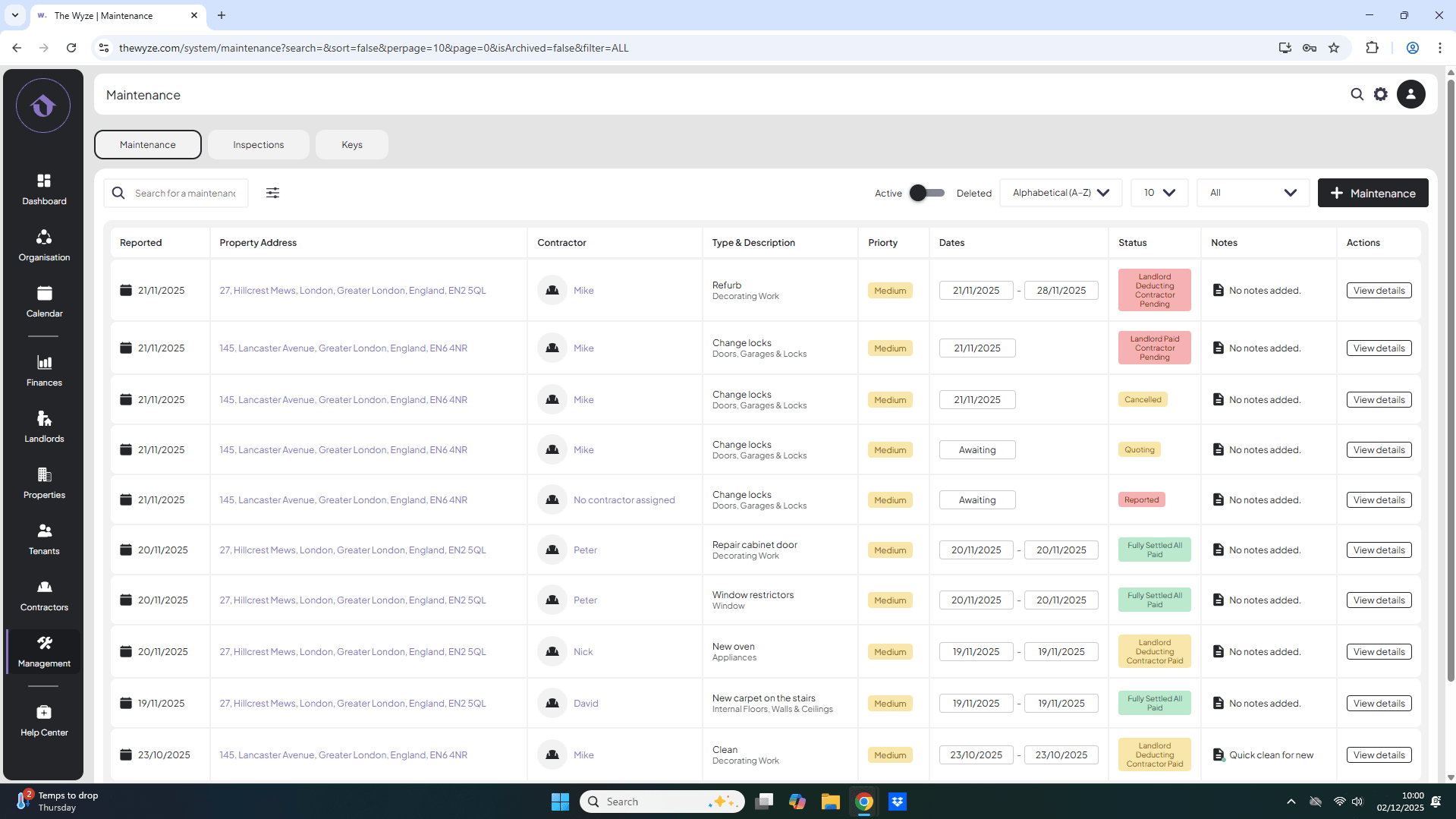
Walkthrough of Maintenance Statuses
Step 1. Access the Management Tab 0:00
- Start by navigating to the management tab on the left-hand side of the screen.
Step 2. Add a Maintenance Job to Reporting 0:09
- Click to add a new maintenance job.
- Search for the relevant property.
- Enter the description.
- Skip contractor and maintenance time fields.
- Click ‘Save’ to set the status to ‘Reported’.
Step 3. Change Status to Quoting 0:56
- Click the edit icon to select a contractor.
- Scroll down and click ‘Save’ to change the status to ‘Quoting’.
Step 4. Change Status to Scheduled 1:31
- Click the edit button.
- Schedule the job for the set date.
- Skip cost and charge fields.
- Click ‘Save’ to change the status to ‘Scheduled’.
Step 5. Change Status to Awaiting Payment 2:12
- Click the edit button.
- Enter the cost and charge.
- Click ‘Complete’ to finish the job.
- Click ‘Save’ to change the status to ‘Awaiting Payment’.
Step 6. Understand Payment Statuses 3:11
- Familiarize yourself with the payment status options:
- Landlord deducting contractor pending
- Landlord deducting contractor paid
- Landlord paid, contractor pending
- Fully settled
- Cancelled jobs.
Step 7. Receipt Payment and Pay Contractor 4:07
- View job details and navigate to the payments tab.
- Choose to receipt payment directly or through deduction.
- Select the payment method if direct.
- If deducting, select the payment period and click ‘Save’.
Pay Contractor
- Go back to the payments tab.
- Select ‘Pay Contractor’ and choose the payment method.
- Click ‘Save’ to update the status to ‘Landlord deducting contractor paid’.
Step 8. Pay Landlord 6:00
- When the rent is due to be paid, navigate to the property and select the payments tab.
- Click ‘Pay Landlord’.
- Select the month and confirm the amount after deductions.
- Click ‘Save’ to update the status to ‘Fully Settled’.
Step 9. Cancel a Job 6:56
- Go to the scheduled jobs and select the job to cancel.
- Click ‘View Details’ and then ‘Cancel Job’.
- Provide a reason for cancellation and click ‘Save’.